Check your phone or case
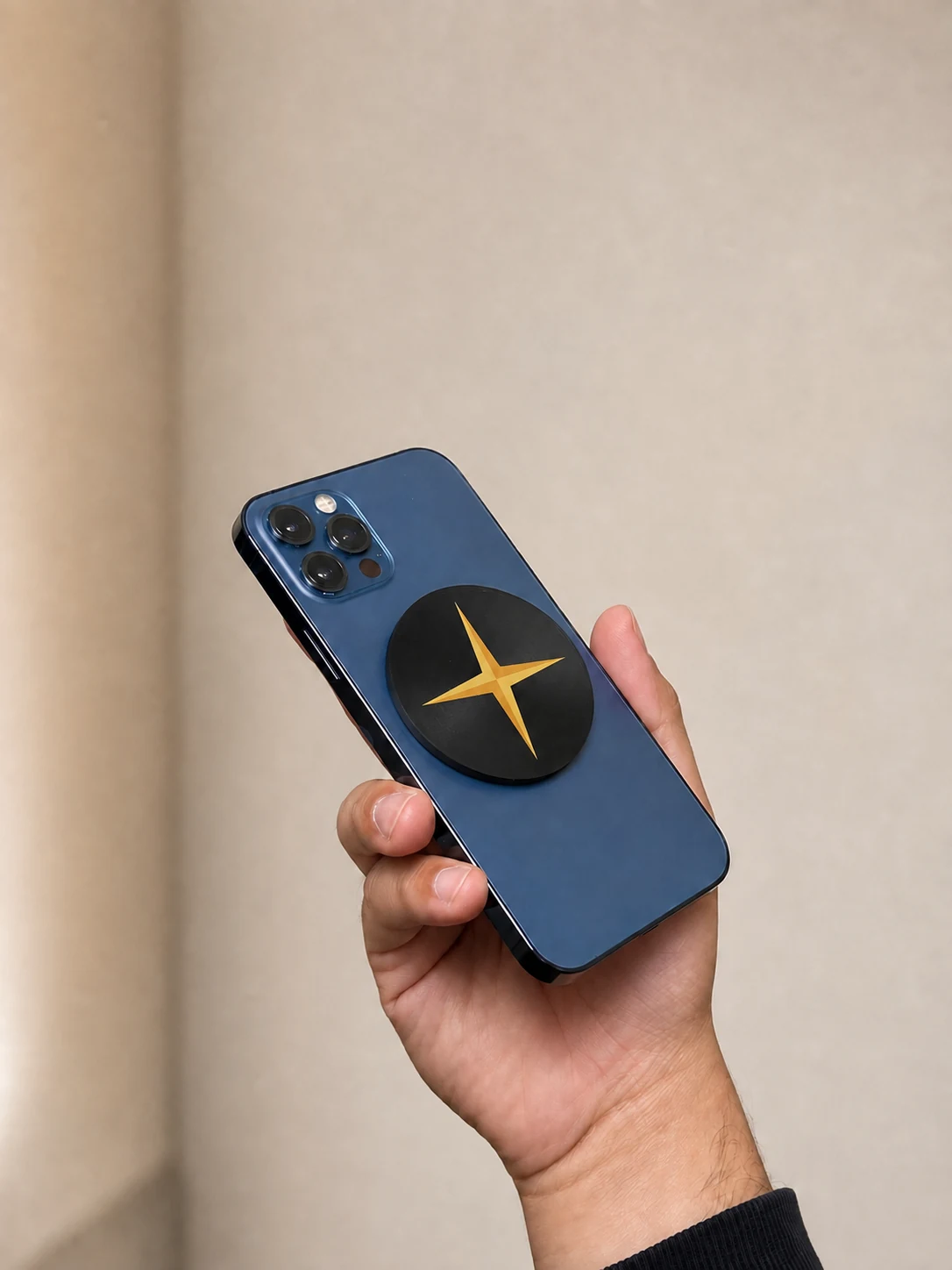
The physical Forje Link needs a MagSafe-compatible phone or case for magnetic attachment. Not every iPhone or case has MagSafe. Check your exact model and case before ordering.
NFC business card for iPhone
Forje Link is an NFC business card for iPhone with MagSafe attachment and a QR code. It puts your contact profile on the phone you already carry, without asking the person you meet to install an app.
$45 included designs · $55 custom logo
One-time purchase · No core subscription
An iPhone contact exchange can be useful, but you may also want to share your website, booking page, Instagram or a portfolio. Forje puts those choices on one browser-based profile that works beyond iPhone-to-iPhone sharing.
The physical Forje Link needs a MagSafe-compatible phone or case for magnetic attachment. Not every iPhone or case has MagSafe. Check your exact model and case before ordering.
On supported NFC-reading phones, they hold the reading area near the Link and open the notification. On an iPhone this is typically near the top of the phone. QR is the straightforward fallback.
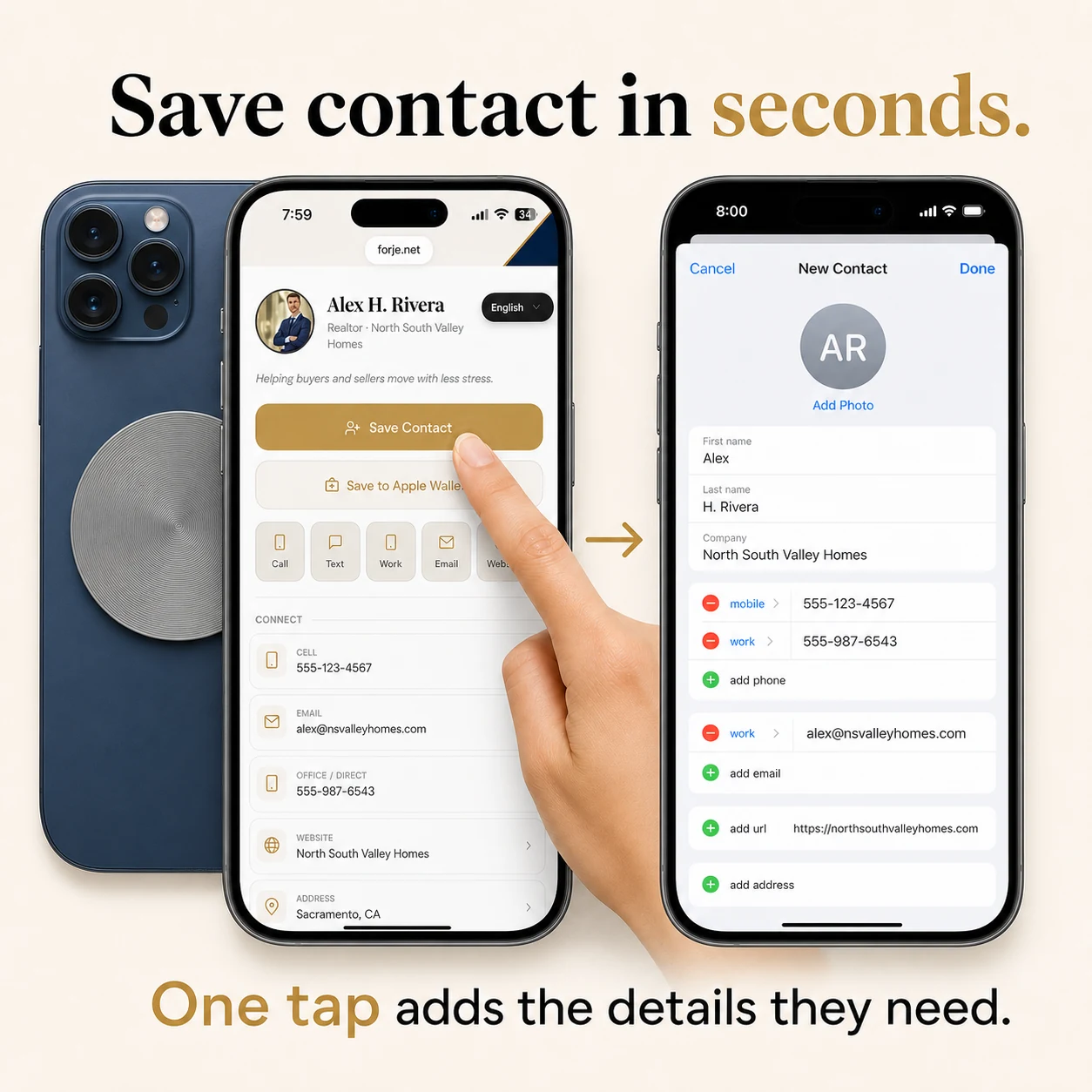
Save Contact provides a downloadable contact card. The recipient confirms the import on their phone. Different Contacts apps may organize saved website and social links differently.
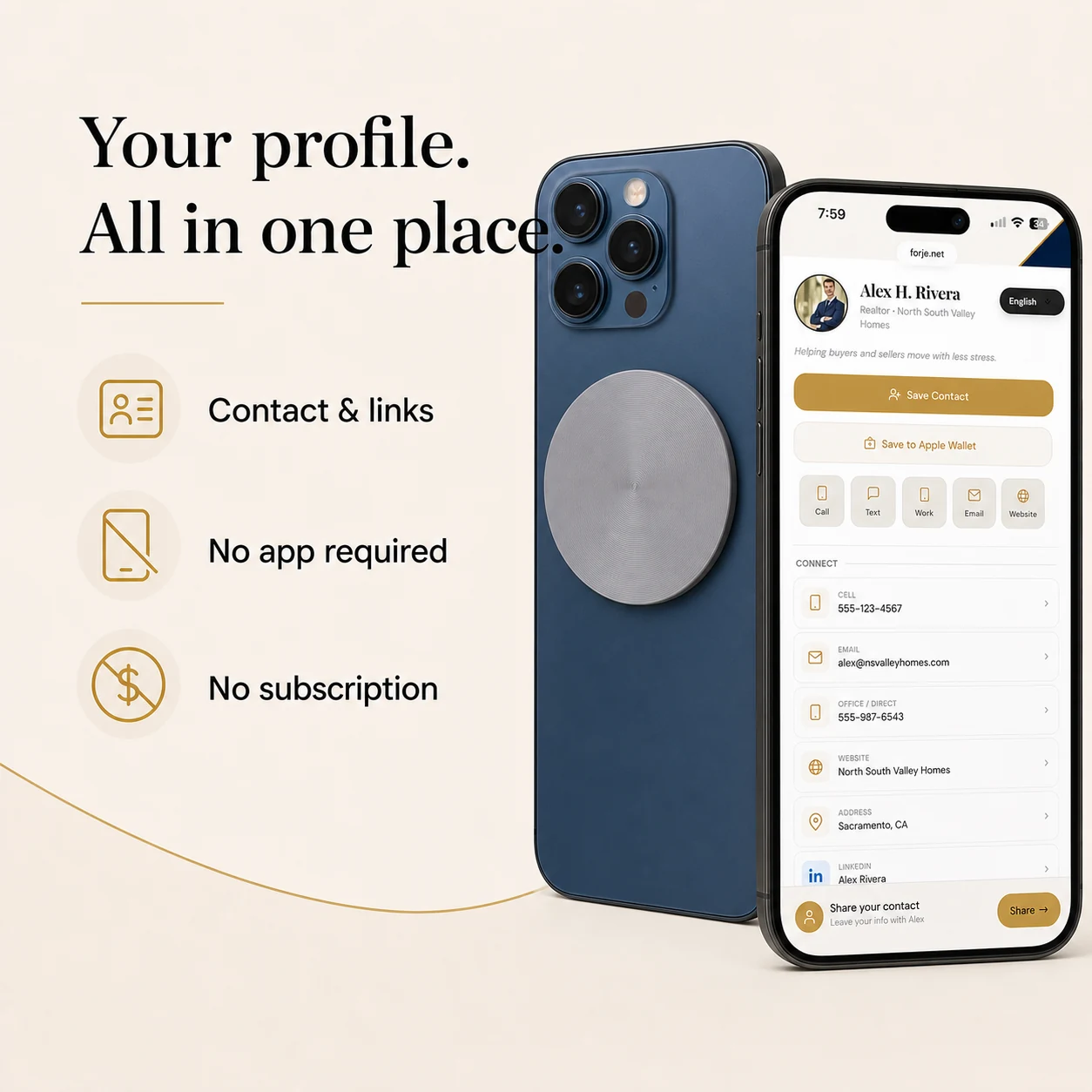
Your Forje profile brings your contact information and useful links together. Add only what helps someone take the next step:
Keep the Forje Link on your MagSafe-compatible phone or case. A visitor holds their supported phone near the NFC chip, or scans the printed QR with their camera. Both open your profile in a browser: no app is required to receive your information. They can then save your contact or choose a link. An internet connection is needed.
Change the information in your dashboard when your business changes. The physical Forje Link, its NFC destination and its printed QR continue to open the same profile.
Visitors can save your contact card to their phone and use the links on your profile. Native Contacts apps differ, so your Forje profile is the reliable place to see all your current links and media.
Explore the Forje profile example →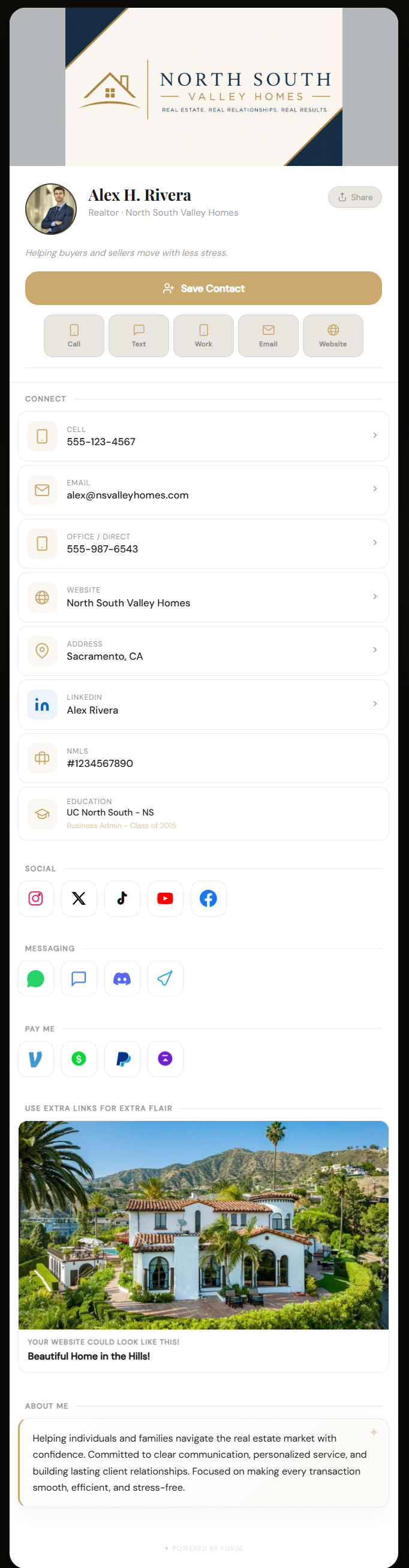
Choose Matte Black, White or Gray. Plain or an included design is $45. Choose the $55 custom-logo option to have your logo printed directly onto the Link using a UV printer. We review your artwork before production.
Shipping is included for US website orders. The core profile has no monthly subscription. Review your design and the final total before paying.
Choose Your Forje Link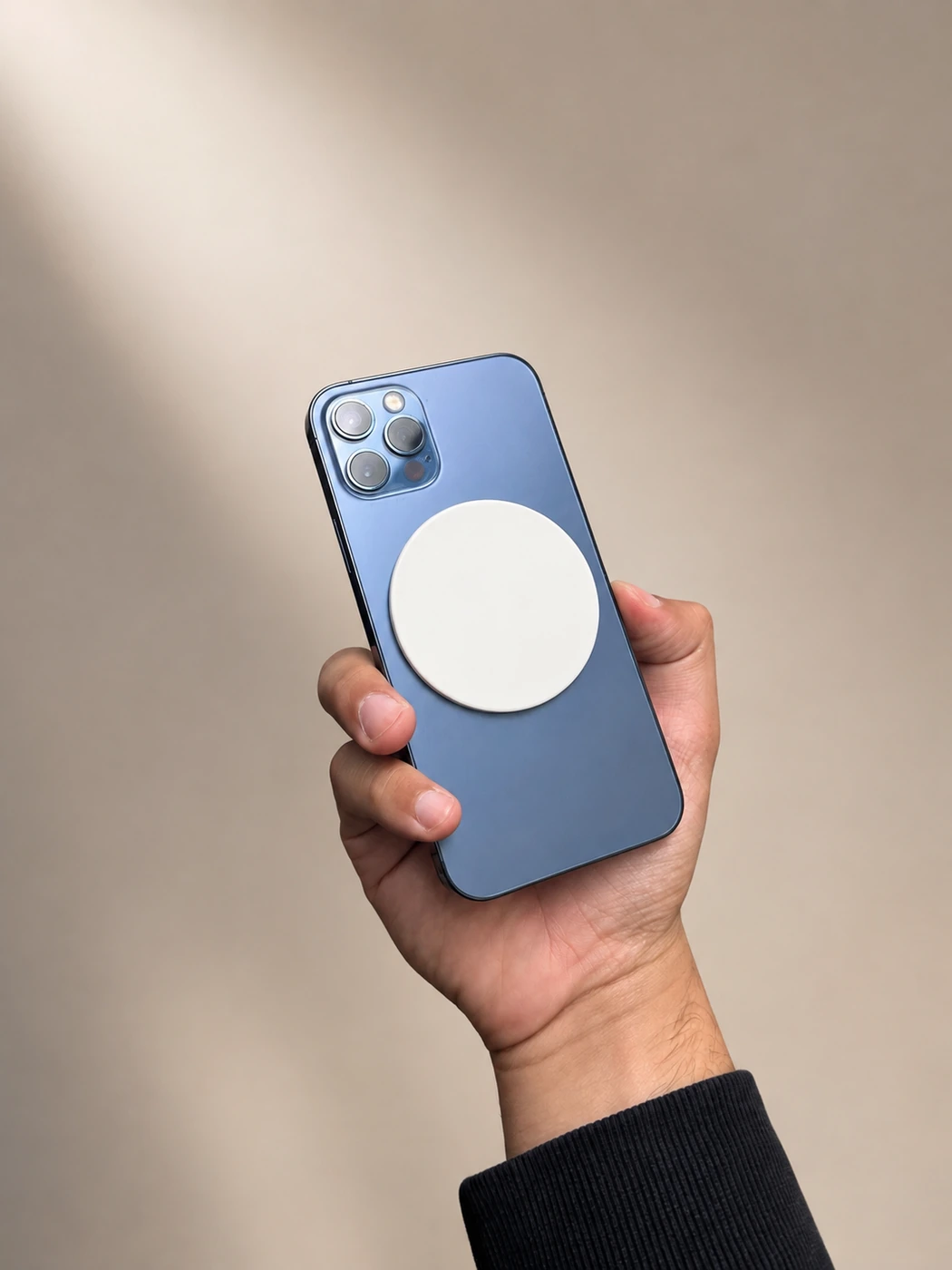
No app is needed to receive a profile. People tap or scan and open it in their phone’s browser. You edit your profile through the Forje website.
Yes. NFC sharing works with supported NFC-reading iPhones, and QR can be scanned with the camera. Magnetic attachment requires a MagSafe-compatible phone or case; check your specific model.
Yes. Update your contact details, links, photos and profile in your dashboard. Your existing Forje Link and QR keep opening the updated profile.
Yes. Choose the $55 custom-logo option and upload your logo. We review your file and print it directly onto the Forje Link using a UV printer.
Yes. NFC tapping and the printed QR both open the same Forje profile. Use QR if the receiving phone cannot read NFC. An internet connection is needed to open the profile.
Yes. Add the URL of your existing scheduling or booking page. Visitors can open it from your profile; booking and availability are handled by your chosen service.
Yes. Save Contact provides a downloadable contact card, which the recipient confirms in their phone’s Contacts app. Phone numbers, email and website/profile links are the essentials; the display of additional links varies by app.
Yes, with a compatible MagSafe case. A case without a magnetic attachment system will not hold the Link by itself. The recipient does not need MagSafe to use NFC or QR.
The core Forje Link experience has no monthly subscription. Website pricing is $45 for Plain or an included design, or $55 for your custom logo. Shipping is included for US website orders; see checkout for the final total.
Build and preview your profile, choose your physical design, then order your Forje Link.
Buy / Build Your Forje Link