✦ Quick Start Guide

Your Sigil,
in three taps.

Everything you need to know about tapping, scanning, sharing, and saving your Forje digital card.

1
Attach
Snap the Sigil to your phone
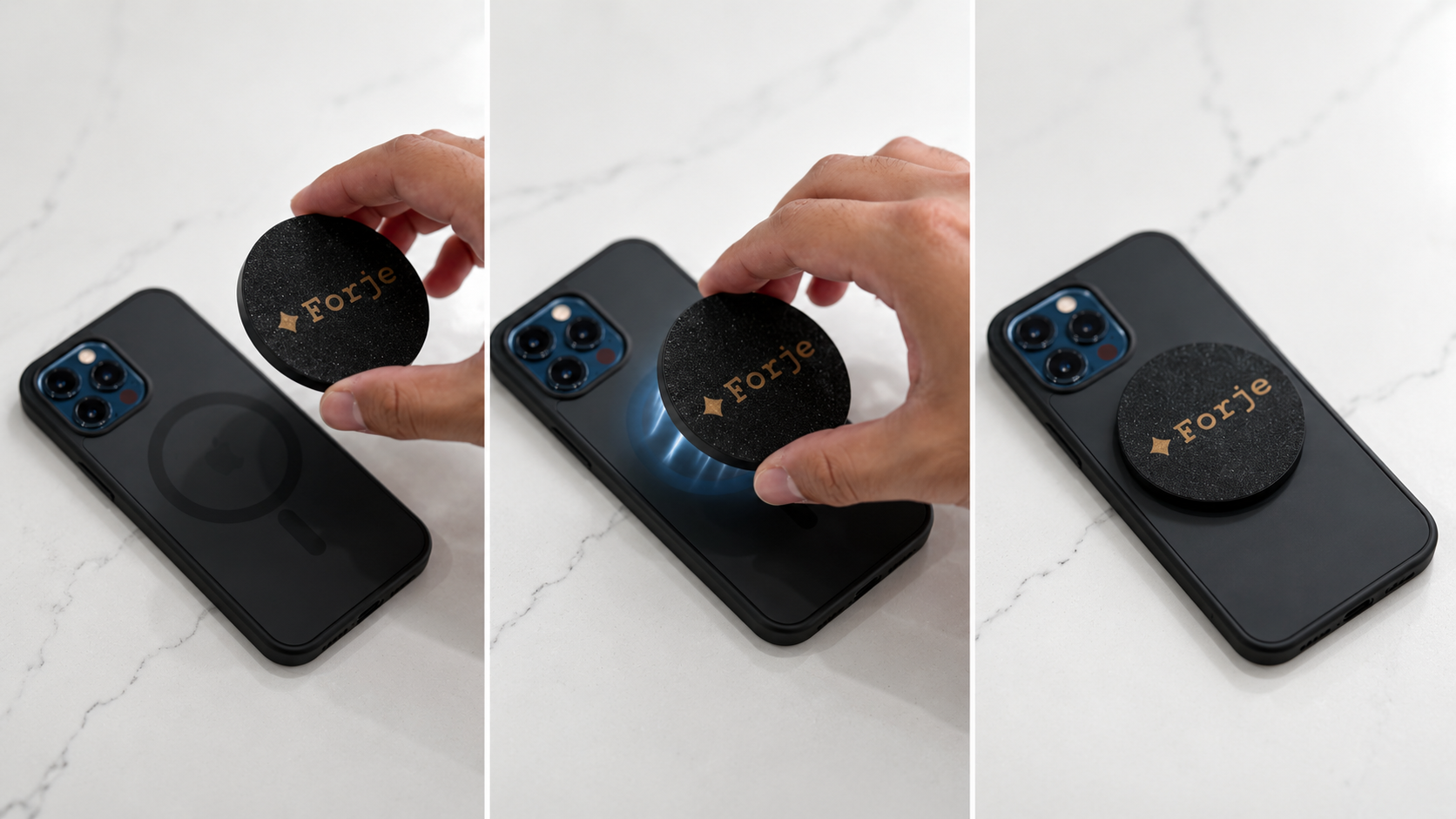
The Sigil magnetically snaps to the back of any MagSafe-compatible iPhone case. Hold it near the center of your case and feel it click into place. It stays put — no adhesive, no setup.
Works with: Any iPhone 12 or later with a MagSafe case. Non-MagSafe cases can use a magnetic ring adapter for compatibility.
2
Share
Tap or scan — instant profile
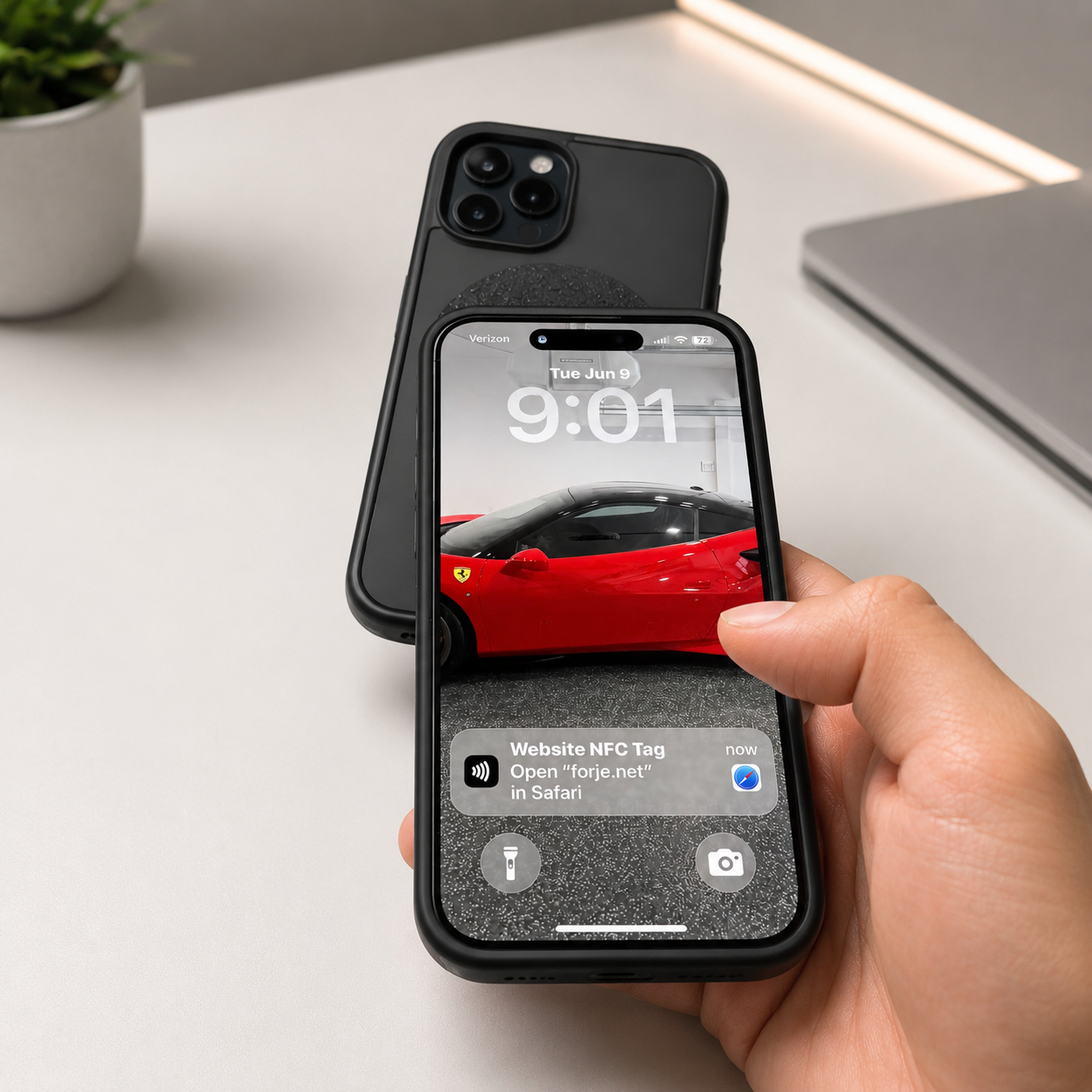
Hold the back of your phone near any smartphone. Your full digital profile opens instantly in their browser — no app needed, no account required on their end. Works on iPhone and Android.
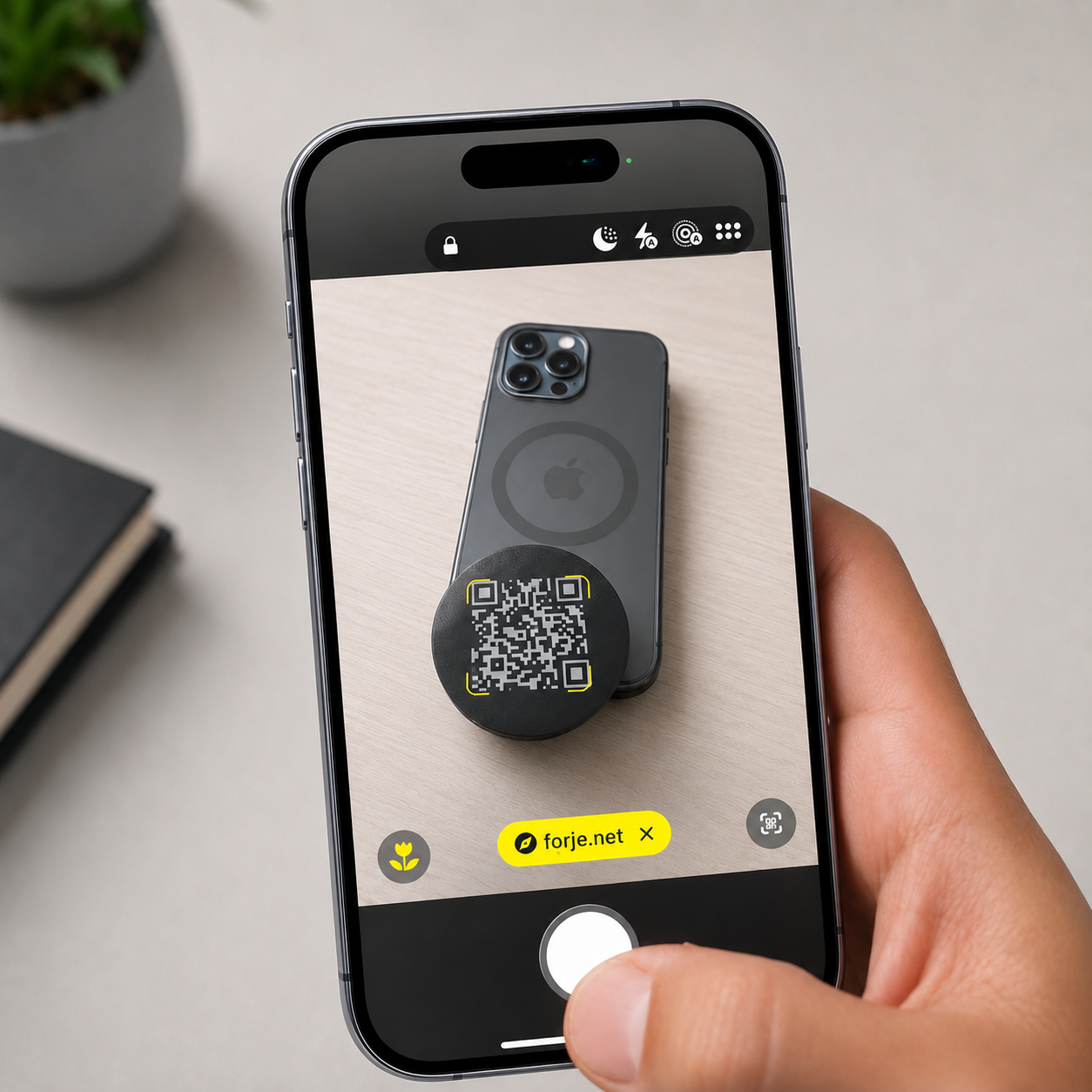
Can't tap? Every Sigil also has a QR code. Open your camera app, point it at the Sigil, and tap the notification that appears. Same result.
3
Save Contact
They save your contact in one tap
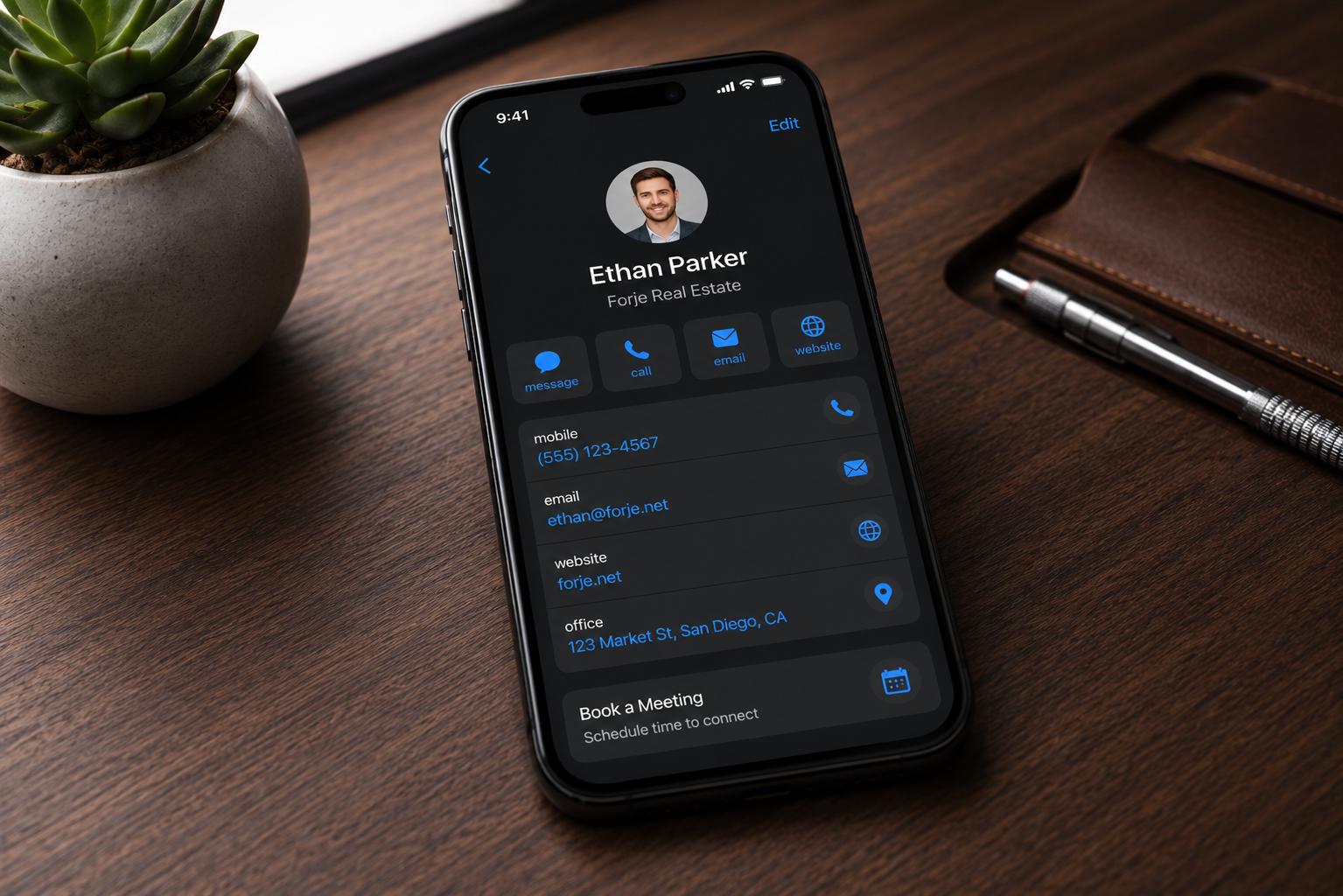
Once your card loads, there's a Save Contact button at the top. One tap adds your full contact card — name, phone, email, company — directly to their phone's contacts. Done.
4
Apple Wallet
Save to Apple Wallet for permanent access
Below Save Contact, tap Save to Apple Wallet. Your card is added as a pass — it lives in their Wallet app alongside boarding passes and cards, permanently accessible offline.
To view links from the Wallet pass: Open the Wallet app → find your pass → tap the ··· button in the top right → Pass Details. All links, phone numbers, and email addresses are tappable from there.
5
Lead Capture
Capture their info too
Scroll to the bottom of your card to find the contact exchange form. Anyone can leave their name, phone, and email — you receive it instantly. Every lead is stored in your Forje dashboard.
You'll see every submission in your Forje admin panel, along with tap counts and link clicks for your card.
Common Questions
Does the person I tap need an app?
No. Your card opens directly in their browser — Safari, Chrome, any browser. Nothing to download on either side.
Does it work on Android phones?
Yes — NFC tapping works on most modern Android phones. The card opens in their browser just like on iPhone. The Save to Apple Wallet button is iPhone only, but the card and contact save work on Android too.
Can I update my card after I buy it?
Yes — your digital profile is live and always up to date. Change your job title, add a new number, update your photo — anyone who taps your Sigil from that point forward sees the latest version. The hardware never needs to change.
Is there a subscription?
No. $35 once, forever. No monthly fees, no premium tiers, no limits on taps or leads.
What if my case isn't MagSafe compatible?
A thin magnetic ring adapter (available on Amazon for under $5) adds MagSafe compatibility to any case. Alternatively the Sigil QR code works for sharing without any case requirement.
Where is the Sigil made?
In California. Every Sigil is precision manufactured and assembled by Forje in the US.

Ready to make your mark?

One tap. Every connection.

✦ Get Your Sigil — $35