Order Now
Choose what you need
then build it.
then build it.
Start with one Forje Link, order several Links that all open the same business profile, or use the team flow when every person needs their own card.
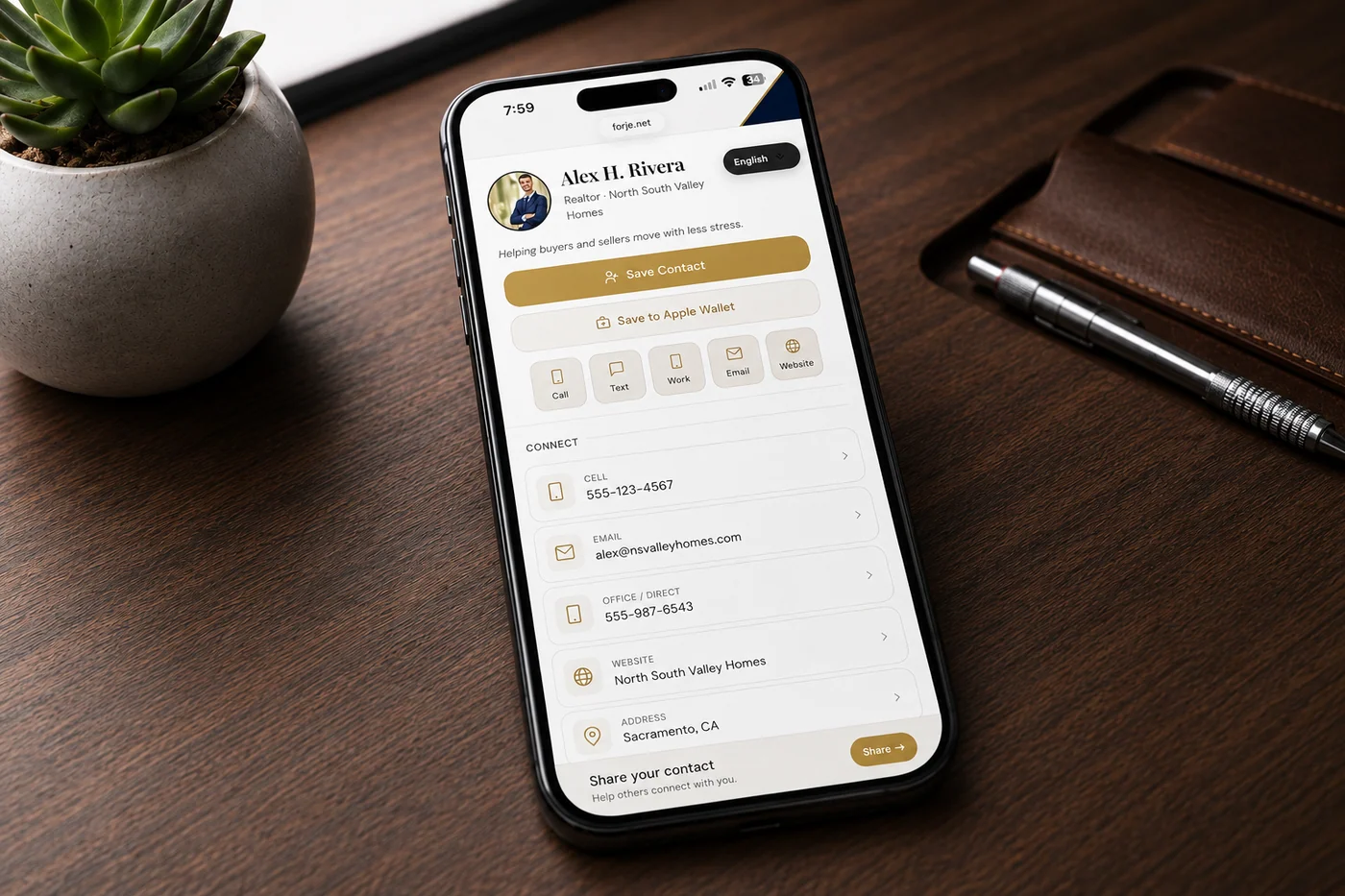
Individual
Forje Link
$45 plain
One Forje Link connected to one personal profile.
- Best for one person
- Digital profile, contact save, links, tap/click analytics, and optional leads
- Update your profile anytime
Shared profile
Business Links
$45 each
Multiple Links that all open the same business profile.
- Best for services, booths, counters, shops, and crews
- No member emails or team setup required
- Quantity updates at checkout
Multiple people
Team Links
Email setup
Team setup is guided so roster, branding, and admin access stay clean.
- Best when every member needs their own card
- Shared brand colors, lead visibility, and admin controls
- Guided setup for replacements and new hires
Want your logo on the front?
Add your logo to the front of the Forje Link. During setup, you can preview it on the color you choose before we confirm the final layout.
+$10 per Forje Link
Order Your Forje Link
Build your Forje Link in a few steps
Fill what matters, watch the live preview, then checkout when the card looks right.
1 Basics
2 Links & Media
3 Design
4 Pay
Step 1 of 4
Basics
Start with your name and one way people can reach you. Every other option is optional and can be changed later.
How many Links?
Each one will open this same shared business profile.
Your public profile
First Name *
Middle / Additional
Last Name *
Job Title
Company
Pronouns
Affiliation
Short Bio
Profile Photo
Click to upload photo
JPG or PNG. Square works best.
Connect
Cell Phone
Office / Direct Phone
Office Phone
Fax
Customer Service
Office Extension
Work Email
Personal Email
Website 1
Website 2 (optional)
Website 3 (optional)
Address
Step 2 of 4
Links & Media
Add only what helps someone take the next step. Social links, payments, professional links, and photos or video are all optional.
Add your username or paste the full profile link. For example: @forje or instagram.com/forje.
Need another social profile?
Add a personal and business account for the same platform. An optional label keeps them clear on the card.
Portfolio URL
These sections are optional. Add only the pieces that make the card more useful for the person receiving it.
More optional profile sections
School, chapter, or organization
Chapter / Org
University
Graduation Year
Major
Featured video
Add an intro, product demo, property tour, portfolio reel, or any video that helps someone understand you faster.
YouTube or Vimeo URL
Video Label
Custom section
Use this for awards, services, certifications, specialties, menu items, or anything that does not fit the standard fields.
Section Title
Content one item per line, or one paragraph
Feature Spotlight
Links with custom photos
Add a link, listing, portfolio item, menu, booking page, or a custom image preview that shows directly on the card.
Real estate
Cars
Reviews
Menus
Portfolio
Booking
Shows on the cardCustom image lets a listing photo, menu image, flyer, or portfolio thumbnail appear as the visual preview.
Use Auto for normal links, or Custom image when you want control over the photo people see.
Photos & video
Standalone visual content
Add photos or short videos from your device. For a hosted video, choose the link option instead.
Rename card sections
Optional. Change the headings shown on the public card. Leave blank to keep the standard name.
Connect
Social
Messaging
Payments
Extra links
Resume or background
Resume or background
Best for consultants, sales, creators, real estate, students, and anyone who wants a quick credibility section.
Section Label optional
Headline one sentence summary
Highlights one per line, shown as bullets
Full Resume URL optional link to PDF or LinkedIn
Or upload a PDF resume optional
Drop PDF here or click to upload
Step 3 of 4
Design
Choose the physical Forje Link color and how your digital card looks. The defaults already work, so you can keep moving if you are unsure.
Your Forje Link
Forje Link Color
Matte BlackPremium smooth finish
WhiteClean bright finish
GraySoft neutral finish
Choose black, white, or gray first. Your finished Forje Link preview will appear after you choose its design.
Choose the physical designChoose Plain or one of five included designs, or upload a custom logo.
Required
Select Plain or one included design *
UV printing: Designs and custom logos are printed directly onto your Forje Link with a UV printer.
Card Style
Card Font
Text Color
Accent Color
Used for buttons, icons, section highlights, and small details across the card.
#
Background Color
Sets the main backdrop behind the card content. Text automatically adjusts for readability.
#
Profile Banner / Cover
This controls the first screen people see on the public profile. Use a clean banner, logo, or simple cover.
Custom logo mode keeps the cover clean. The uploaded logo will be used as the profile cover, and pattern/name cover controls are hidden.
Banner Image / Logo (replaces pattern)
Appears at the top of the card cover. Good for a brand mark, team logo, or clean header image.
Banner Text (short tagline on cover - optional)
Banner Text Position
Banner Text Contrast
Pattern
Use this when there is no banner image, or when you want a subtle texture behind the name.
Pattern Line Color
Cover Color background
Name Color on Cover
Cover Name Override cover only
Name Size
Final Step
Review & Pay
Email for receipt + dashboard *
Use the email you want tied to this order and future profile access.
Optional order note
Matte Black
Your checkout summary follows the card colors you picked.
Order Summary
Matte Black · Plain · Setup now · $45
Product
Forje Link
Color
Matte Black
Physical design
Choose one
Shipping
Free
Total
$45
Secure Stripe checkout
No subscription
Shipping included
Dashboard + analytics included
Live Preview - Scroll down
Scroll to see more
Updates as you type